A cloud Mac for Claude Code
A headless Mac Mini server for your AI coding agent: always on, isolated from your laptop, with SSH, tmux, Xcode and the iOS Simulator ready. Start a task, close the lid, check back from your phone.
See pricing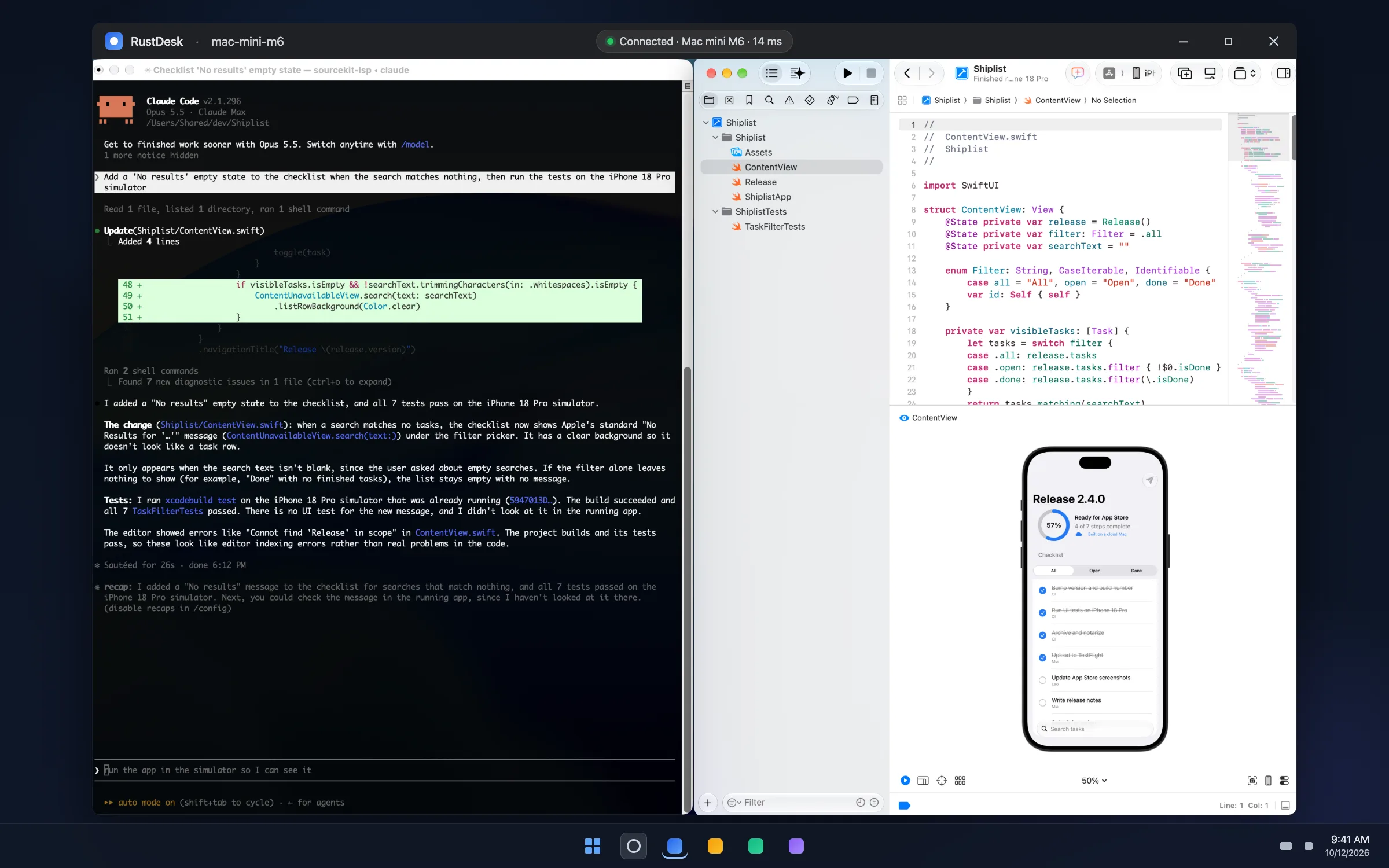
A headless Mac Mini server for your AI coding agent: always on, isolated from your laptop, with SSH, tmux, Xcode and the iOS Simulator ready. Start a task, close the lid, check back from your phone.
See pricingA laptop sleeps, travels and holds everything you own. A dedicated Mac in a data center does one job and keeps doing it.
Start a long task, close the laptop, catch a train. The agent runs in a tmux session on a Mac that never sleeps, and you reattach from anywhere, including an SSH app on your phone.
An agent is most useful when it can run commands freely, which is a bad idea next to your password manager and browser sessions. On a rented Mac the worst case is a reset, not a breach.
Building, testing and shipping an iOS app needs macOS. A dedicated Mac Mini gives the agent xcodebuild, simctl and TestFlight uploads, and gives you the Simulator window over remote desktop.
A whole M4 or M6 Mac Mini with 16GB of RAM and a wired gigabit line. Xcode builds, one simulator and the agent run side by side without fighting for cores.
Full walkthrough with every command: How to run Claude Code on a cloud Mac. Running a chat agent instead? See OpenClaw on a cloud Mac Mini.
No, it runs on macOS, Linux and Windows. A Mac is required when the work involves Apple's toolchain: Xcode, the iOS Simulator, code signing or App Store uploads. If your project is iOS or macOS, the agent needs a Mac to build it.
No. MacRent rents the machine. Claude Code is installed and signed in with your own Claude Pro, Max, Team or Enterprise plan or an Anthropic API key, billed by Anthropic.
Yes. One tmux session per repository is the usual setup. A 16GB Mac Mini handles a few concurrent agents comfortably; Xcode builds are what consume the memory, so run those one at a time.
Cancel and rent a fresh one, or email us and we reset it. Nothing personal lives on the box, so a broken Mac costs you minutes, not data. Keep your code in git and push often.
SSH for the agent itself, plus RustDesk or VNC when you want to see Xcode or the Simulator. All three are set up on every MacRent Mac and listed on your welcome page.
The Mac runs around the clock. Your Claude subscription or API usage is separate.
Where should your Mac be?
A whole physical Mac mini, just for you. Bare metal, not a virtual machine.
Delivered automatically, usually in under 5 minutes.
Same price for every model. Your Mac is assigned from what is free, and its model shows in your portal.
1 month of accessonly $5.30 per day
Renews every month until you cancel
Weekly and Monthly renew automatically until you cancel. Daily lets you choose at checkout: 24 hours only, or renew daily. Cancelling takes one click in the billing portal.