OpenClaw on a Mac Mini in the cloud

A dedicated Mac Mini M4 or M6 for your OpenClaw Gateway: always on, nobody else on the hardware, local models on Apple silicon, and nothing of yours within reach of the agent. Set up over SSH in under an hour.

See pricing
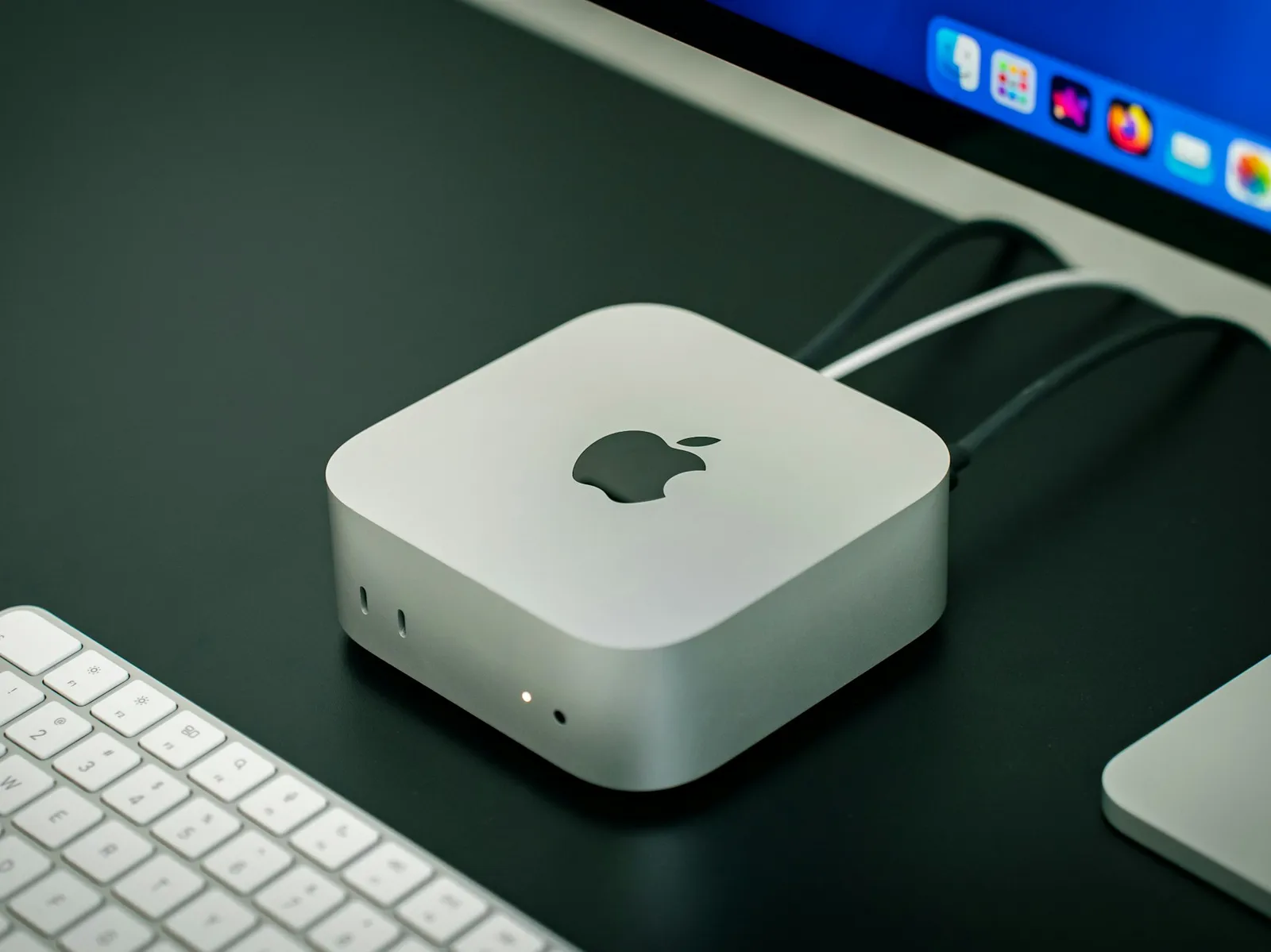
A dedicated Mac Mini, the kind MacRent hosts in its data center for OpenClaw and other always-on agents

Why a Mac Mini, and why a rented one

OpenClaw is most useful when it can act freely, around the clock. That is exactly what you do not want on your laptop.

Always on, without a box at home

OpenClaw is a persistent Gateway: it waits for your Telegram or WhatsApp message and acts on it. It needs a machine that never sleeps. A Mac Mini in a data center with a wired gigabit line and a static IP does that without a power bill or a second router rule.

Nothing of yours on the box

The agent runs shell commands, browses with a headless Chrome and holds API keys. That is a bad neighbour for your password manager and personal browser. On a rented Mac the blast radius is the Mac, and a reset takes minutes.

Local models on Apple silicon

The 16GB Mac Mini runs 7B to 9B models through Ollama with Metal acceleration, so routine messages stay off the API bill and off third-party servers. Cloud models stay available for the hard tasks.

macOS automation and the Apple toolchain

Shortcuts, AppleScript, Safari, Xcode and the iOS Simulator are all there for the agent. A Linux VPS has none of them.

One thing a hosted Mac cannot do: iMessage

OpenClaw's iMessage channel needs the Messages app signed in to an Apple ID on the Gateway Mac. Apple blocks iMessage and Apple ID activation from data-center IP addresses, on every hosting provider, ours included. If iMessage is the point, buy a Mac mini for your desk. For Telegram, WhatsApp, Slack, Discord, email and the web dashboard, a MacRent Mac is a better host than a machine at home: static IP, gigabit uplink, no sleep, no power bill.

OpenClaw Mac mini setup, in four steps

  1. 1Rent a dedicated Mac Mini and connect over SSH with the credentials from your welcome email.
  2. 2Run OpenClaw's installer, then openclaw onboard --install-daemon. It installs Node, runs the wizard and registers the Gateway as a LaunchAgent so it survives reboots.
  3. 3Pick a model provider in the wizard (Anthropic, OpenAI, Gemini, OpenRouter or a local Ollama model) and connect a channel such as Telegram.
  4. 4Message the bot from your phone. Reach the browser dashboard over an SSH tunnel when you want to change settings.

Not sure a Mac is the right host? OpenClaw on a Mac mini vs a VPS goes through the cases. Prefer Hermes? Hermes Agent on a cloud Mac.

The best Mac mini for OpenClaw is one you do not have to own

  • Dedicated Mac Mini M4 or M6, nobody else on it
  • 10 to 12 CPU / GPU cores, 16GB unified memory
  • Never sleeps, 1Gb/s wired, static IP
  • SSH, VNC and RustDesk from day one
  • Full-admin: Ollama, Homebrew, Xcode, anything
  • Reset to clean in minutes if it goes wrong

Questions

Does OpenClaw need a Mac mini?

No. OpenClaw runs on macOS, Linux and Windows, and a Gateway that only calls cloud models is happy on a small Linux VPS. A Mac is the right host when you want local models on Apple silicon, macOS automation, Safari, Xcode, or a machine that is isolated from your own computer. The comparison post below goes through each case.

Does iMessage work on a hosted Mac?

No, and this matters. OpenClaw's iMessage channel needs the Messages app signed in to an Apple ID on the Mac that runs the Gateway. Apple refuses iMessage and Apple ID activation from data-center IP addresses, so no hosted Mac from any provider can do it. If iMessage is the reason you want OpenClaw, use a Mac mini at home. Telegram, WhatsApp, Slack and Discord all work on a MacRent Mac.

Are the AI credits included?

No. MacRent rents the machine. OpenClaw uses your own API key or subscription with Anthropic, OpenAI, Google or OpenRouter, billed by them, or a local model that costs nothing per message.

How much RAM does OpenClaw need?

About 1GB for the Gateway alone, a few hundred megabytes per headless browser and under 1GB per extra agent. The 16GB Mac Mini leaves plenty of room for a 7B to 9B local model next to that. For 30B local models you need more unified memory than the Mac Mini line offers.

What if the agent breaks the machine?

Cancel and rent a fresh one, or email us and we reset it. Keep your OpenClaw config and workspace in a git repository so a rebuild is a clone, not an afternoon.

Can I run Hermes Agent instead?

Yes. Hermes Agent from Nous Research installs with one script, runs its Gateway in tmux or launchd, and reaches you on the same messaging apps. We have a step-by-step guide for it below.

OpenClaw hosting, by the day or the month

The Mac runs around the clock. Your model provider or local model is separate. Try it for a day before you commit to a month.

Where should your Mac be?

A whole physical Mac mini, just for you. Bare metal, not a virtual machine.

Mac mini M4 or M616 GB RAM256 GB or 512 GB SSDmacOS 26 or 27

Delivered automatically, usually in under 5 minutes.

Same price for every model. Your Mac is assigned from what is free, and its model shows in your portal.

Daily

$15/day

24 hours of access

You choose: 24 hours only or renew daily

Get Started
  • 1Gb/s internet speed
  • 10 to 12 CPU / GPU cores
  • Static IP address
  • Full-admin access
  • Remote desktop connection
  • SSH access

Weekly

$89/week

7 days of accessonly $12.71 per day

Renews every week until you cancel

Get Started
  • 1Gb/s internet speed
  • 10 to 12 CPU / GPU cores
  • Static IP address
  • Full-admin access
  • Remote desktop connection
  • SSH access
  • Priority support
Most Popular

Monthly

$159/month

1 month of accessonly $5.30 per day

Renews every month until you cancel

Low stockGet Started
  • 1Gb/s internet speed
  • 10 to 12 CPU / GPU cores
  • Static IP address
  • Full-admin access
  • Remote desktop connection
  • SSH access
  • Priority support

Weekly and Monthly renew automatically until you cancel. Daily lets you choose at checkout: 24 hours only, or renew daily. Cancelling takes one click in the billing portal.