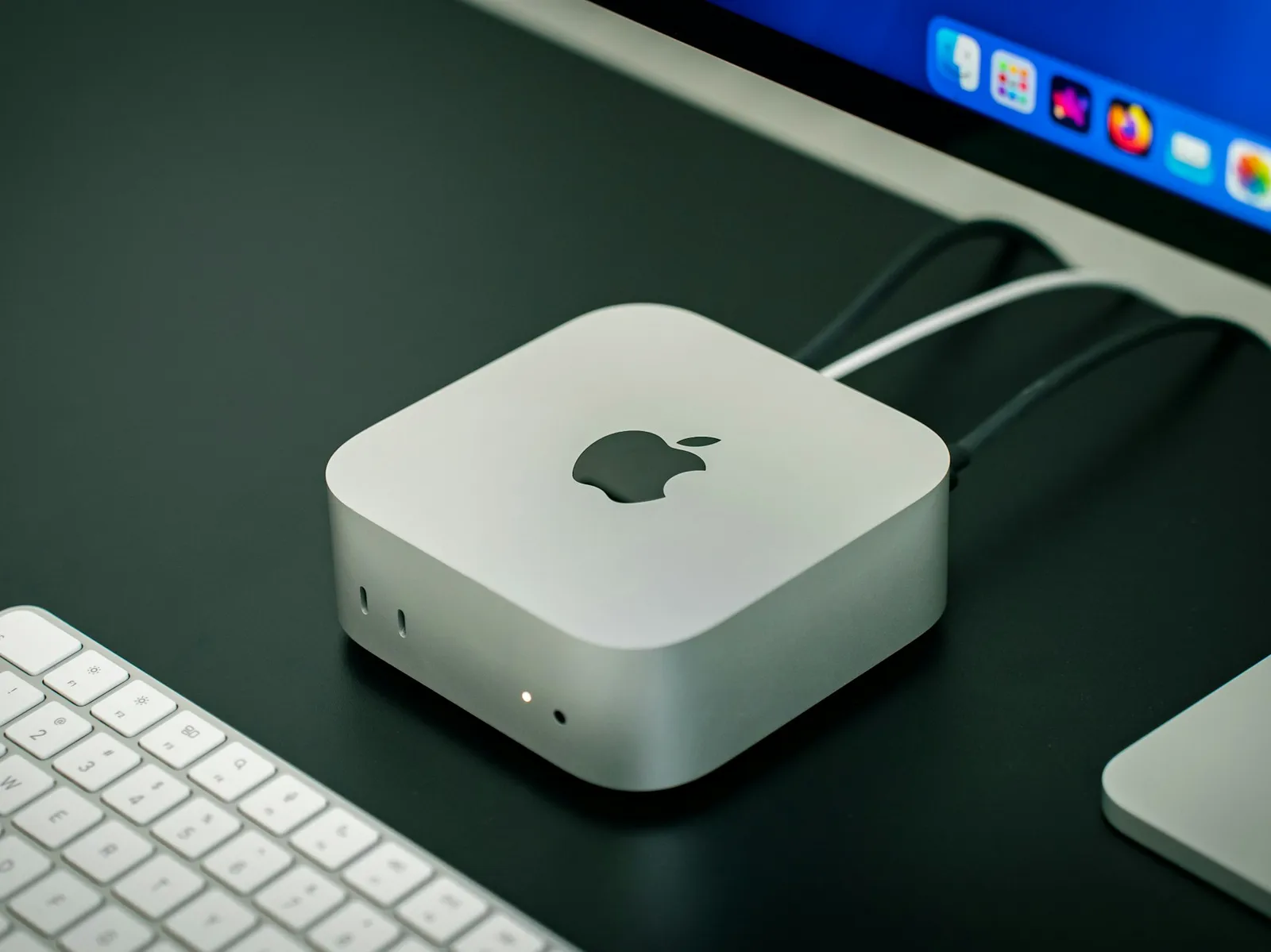
A whole Mac mini just for you, M4 or the new M6. Bare-metal macOS with full admin access, not a VM. For developers and creators who want to build, test and deploy without buying hardware.
Ready in minutes after payment
Cancel anytime. Data centers in the US (West Coast) and EU (France, Netherlands).
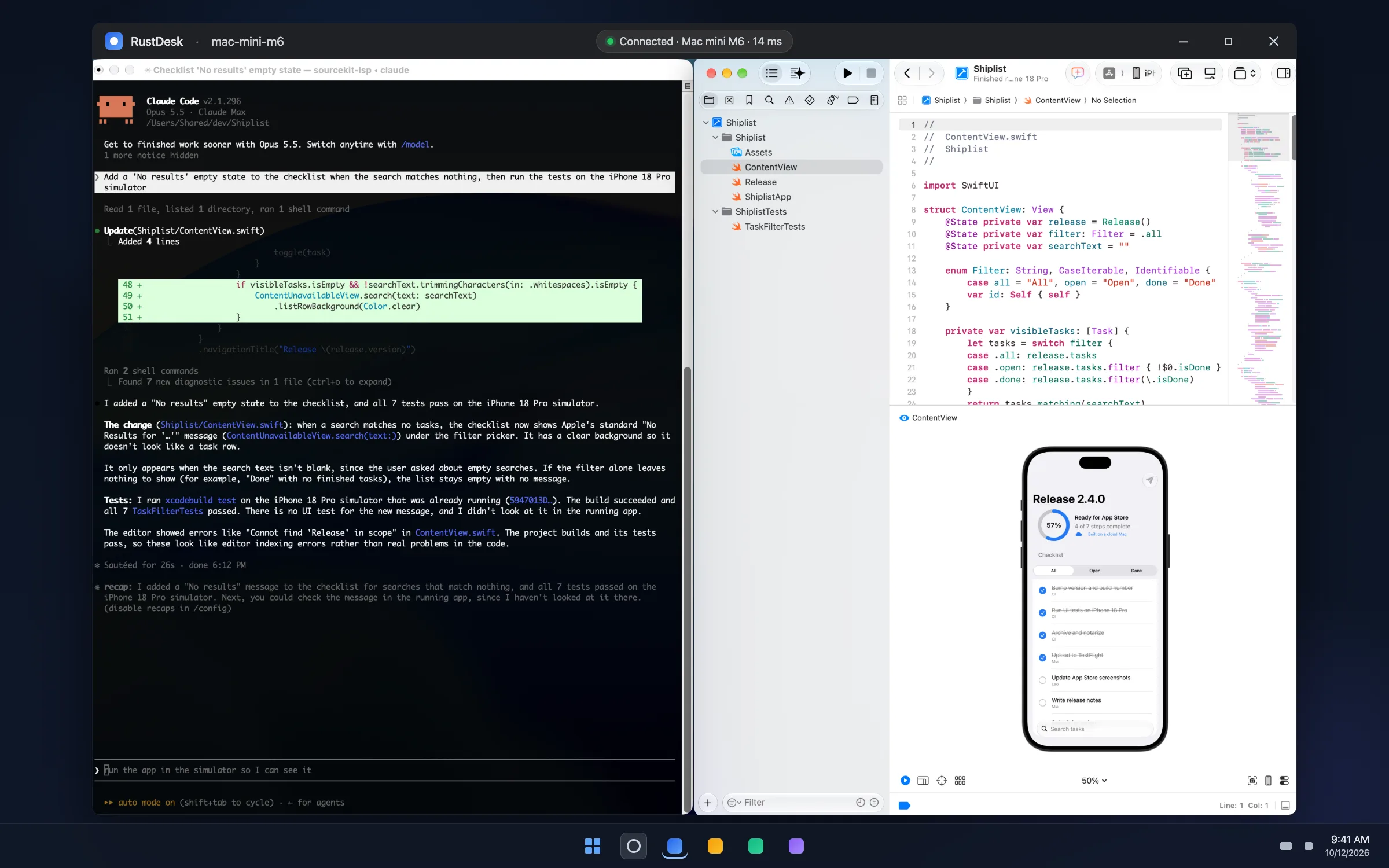
Your Mac, seen from a Windows PC: Claude Code, Xcode and the iOS Simulator on bare-metal Apple silicon. Set up a Mac for your coding agent.
Why Choose MacRent
Everything you need for macOS
🌍
Access it anywhere
Simply connect to your Mac remotely, it's like having it on your desk
⚡
Fast & Powerful
Apple Silicon M4 or M6 performance with a 1Gb/s connection, in US and EU data centers
🔒
Secure & Private
You get a dedicated Mac with full-admin access - no one else has access to the machine
🔄
Flexibility
Cancel anytime. Pay only for what you need.
🖥️
Full Immersive Experience
Improve your workflow with apps that are only available on macOS.
💰
Cheaper CI/CD
Run build 20x less than GitHub actions - just by changing one line of code
A dedicated Mac mini, not a virtual machine
Every plan is a physical Mac mini racked in a data center. No hypervisor, no shared cores, no other tenants.
✓Apple M4 or M6, all cores and memory are yours
✓Full macOS with admin rights, install anything
✓Hosted in the US (West Coast) and EU (France, Netherlands)
✓Wiped and reinstalled when you cancel
Start Your Cloud Mac in 3 Steps
Get instant access to your own Mac in the cloud.
1
Choose Your Plan
Choose the cloud Mac setup that fits your workflow
2
Quick Setup
Follow the instructions you receive by email
✓
Start
Access your dedicated cloud Mac instantly from anywhere
Simple, transparent pricing
Choose the perfect plan for your needs.
Where should your Mac be?
Which Mac?
Mac mini M416 GB RAM256 GB SSDmacOS 26 or 27Bare metal, not a VM
Ready in minutes after payment
Delivered automatically, usually in under 5 minutes.
Everything you need to know about renting a Mac in the cloud.
What is MacRent?
MacRent lets you rent a dedicated Mac Mini M4 or M6 in the cloud. You get full-admin remote access to a real Apple Silicon machine, no hardware to buy, set up or maintain. It's ideal for iOS/macOS development, CI/CD builds, app testing and running macOS-only software.
How much does it cost to rent a Mac in the cloud?
Plans start at $15/day, $89/week, or $159/month. Every plan includes a dedicated Mac Mini M4 or M6 with 16GB RAM, 256GB SSD, a static IP and full-admin access. You can cancel anytime.
Is it a dedicated Mac or a shared one?
It's fully dedicated: a physical Mac Mini, bare metal, not a virtual machine or a slice of a bigger server. You get the whole machine with full-admin access, and no one else has access to it. That means consistent performance and full control over the OS, just like a Mac on your desk.
Where are the Macs located?
In professional data centers in the United States (West Coast) and in Europe (France and the Netherlands). Your Mac is assigned by availability. If you need a specific region, email us before you order and we'll do our best to place you there.
Do I get a Mac Mini M4 or M6?
Both are in the fleet. M4 is the standard choice. When an M6 is free you can pick it on the pricing cards for a little more: $17/day, $99/week or $179/month. Every machine has at least a 10-core CPU and GPU, 16GB RAM and a 256GB SSD.
Can I use it for CI/CD and iOS app builds?
Yes. A dedicated cloud Mac is perfect for CI/CD pipelines and building iOS, iPadOS, macOS, watchOS and tvOS apps with Xcode. Many teams use it as a self-hosted runner and cut build costs dramatically compared with hosted macOS CI minutes.
How do I connect to my cloud Mac?
After you pick a plan you'll receive setup instructions by email. You connect over a standard remote-desktop connection, or SSH if you prefer the terminal. It feels just like using a Mac sitting on your desk, from Windows, Linux or another Mac.
How fast can I get started?
Almost instantly when Macs are in stock. Choose a plan, follow the quick setup emailed to you, and you'll have remote access to your dedicated cloud Mac in minutes.
What happens when Macs are sold out?
Every Mac is dedicated to one customer, so they sometimes all get rented. When a plan is sold out, its card shows when we expect the next Mac to free up. You can join the waitlist to get an email the moment Macs are back, or book the next Mac: you pay now, keep your place in line, and we deliver it first when it frees up. Your rental time only starts when your Mac is delivered, we email you if it runs late, and until delivery you can cancel for a full refund in one click.
Can I cancel anytime?
Yes. Weekly and Monthly plans renew automatically until you cancel, so you're never locked in. For Daily you choose at checkout: 24 hours only, or renew every day until you cancel. Cancelling takes one click in the billing portal and stops future renewals.